3D Box Packaging Design Template
Creating eye-catching product packaging can be a game-changer for businesses and creators alike. A 3D box packaging design template offers a powerful tool to visualize and plan how a product will look once it's printed and assembled. Whether you're launching a new product, designing for an online store, or working on a creative project, understanding how to use these templates can save time, reduce costs, and improve the final result.
What Is a 3D Box Packaging Design Template?
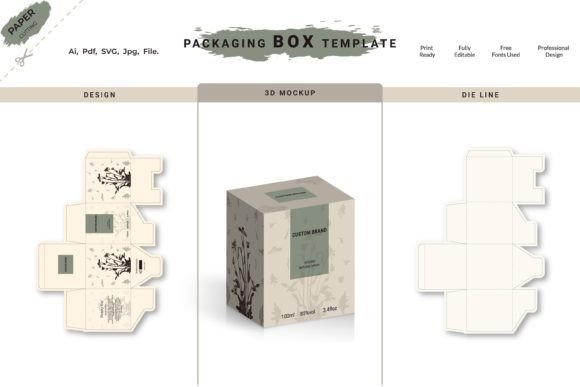
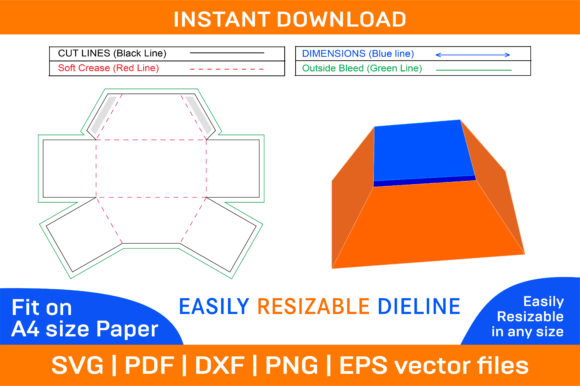
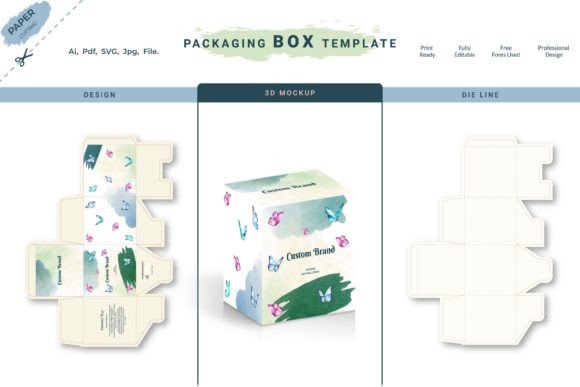
A 3D box packaging design template is a digital file that shows how a flat box design will appear when folded into its three-dimensional form. It helps designers, marketers, and business owners see the layout, structure, and visual elements of a box before it’s physically made. This type of template is especially useful for those who want to experiment with different shapes, sizes, and styles without the need for physical prototypes.
These templates are often created using graphic design software like Adobe Illustrator, InDesign, or specialized packaging tools. They allow users to add text, images, logos, and other graphics in the right positions, ensuring everything aligns correctly when the box is folded.
Why Use a 3D Box Packaging Design Template?
There are several reasons why someone might choose to use a 3D box packaging design template. One of the main benefits is the ability to preview the final product before printing. This helps identify any issues with layout, spacing, or design elements that could affect the overall look of the packaging.
Another advantage is the time and cost savings. By using a template, you avoid the need to create a physical mockup every time you make a change. This is especially helpful for small businesses or independent creators who may not have the resources for multiple iterations.
Additionally, 3D templates help maintain consistency across different packaging designs. Whether you're creating a line of products or updating an existing package, using a standardized template ensures that all boxes follow the same style, dimensions, and quality standards.
Key Features of a 3D Box Packaging Design Template
Most 3D box packaging design templates include several key features that make them practical and easy to use. These typically include:
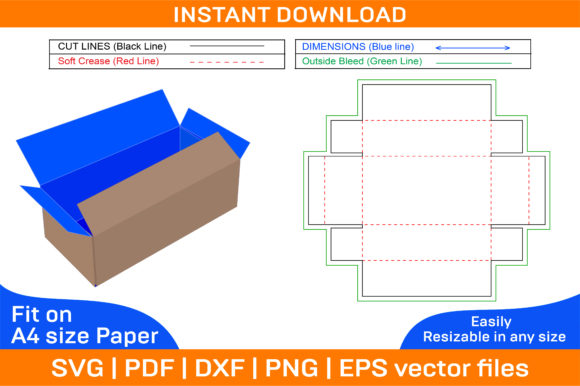
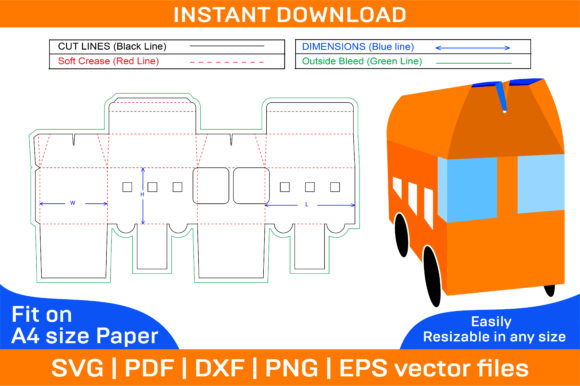
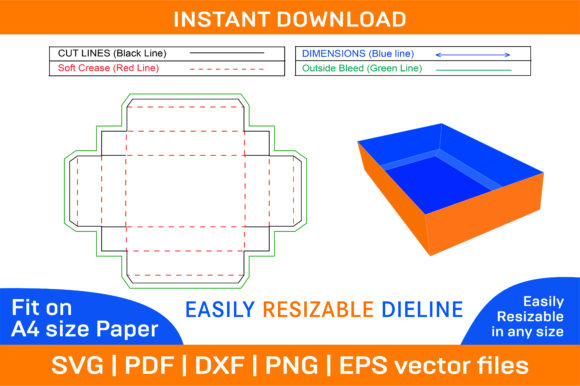
- Pre-drawn box structure – Templates come with the basic shape and fold lines already set up, so you don’t have to start from scratch.
- Customizable sections – You can adjust areas for labels, logos, product information, and decorative elements.
- Layered design files – Some templates offer separate layers for background, text, and graphics, making it easier to edit individual components.
- Print-ready settings – Many templates include bleed, trim, and margin guides to ensure the final print looks clean and professional.
These features make it possible to create high-quality packaging designs even if you’re not a professional designer.
Where Can You Use a 3D Box Packaging Design Template?
The applications for 3D box packaging design templates are wide-ranging. Here are some common scenarios where they can be useful:
- Online retail – E-commerce sellers can use templates to design custom packaging that stands out on their website and in customer shipments.
- Product launches – New brands or entrepreneurs can create unique packaging that reflects their brand identity and captures attention.
- Marketing materials – Businesses can use boxed packaging as part of promotional campaigns, gift sets, or limited-edition releases.
- Education and training – Students or hobbyists learning about design and packaging can practice with real-world examples.
- Art and crafts – Artists and crafters can use templates to create custom boxes for storing supplies, displaying work, or selling handmade items.
Whether you're a small business owner or a creative professional, there's likely a use case that fits your needs.
How to Choose the Right 3D Box Packaging Design Template
Selecting the right 3D box packaging design template depends on your specific goals and requirements. Here are a few things to consider:
- Size and shape – Make sure the template matches the dimensions and structure of the box you want to create.
- Software compatibility – Check if the template works with the design tools you’re familiar with, such as Adobe Illustrator or Inkscape.
- Customization options – Look for templates that allow you to easily modify text, colors, and graphics.
- Quality and detail – High-resolution templates with accurate fold lines and layout guides will make the design process smoother.
It’s also a good idea to explore free and paid templates from reputable sources to find one that suits your budget and skill level.
Practical Tips for Using a 3D Box Packaging Design Template
Once you’ve selected a template, here are some tips to help you get the most out of it:
- Start with a clear vision – Know what you want your packaging to communicate before you begin designing.
- Use high-quality images and fonts – Poor resolution or unclear text can make your design look unprofessional.
- Test your design – Print a sample to see how it looks in real life and make adjustments if needed.
- Stay consistent with branding – Ensure your packaging aligns with your overall brand identity, including colors, logos, and messaging.
By following these steps, you can create packaging that not only looks great but also serves its purpose effectively.
Conclusion: The Value of 3D Box Packaging Design Templates
3D box packaging design templates are a valuable resource for anyone involved in product design, marketing, or e-commerce. They provide a practical way to visualize, customize, and refine packaging before production, helping to streamline the design process and improve the final outcome.
Whether you're a beginner exploring the world of design or a seasoned professional looking to enhance your workflow, these templates can make a big difference. With the right approach and tools, you can create packaging that stands out, communicates your message clearly, and supports your business goals.